Ogmios

From the developer at https://ogmios.dev/faq : "Ogmios is a lightweight bridge interface for cardano-node. It offers a WebSockets API that enables local clients to speak Ouroboros' mini-protocols via JSON/RPC. Ogmios is a fast and lightweight solution that can be deployed alongside relays to create entry points on the Cardano network for various types of applications"
It is a very convenient component of the Cardano ecosystem that many projects take advantage of as part of their projects. Today we are going to set it up alongside our running cardano-node
Ok, next let's grab the latest static binary of the arm build from the developer.
cd /tmp

wget https://github.com/CardanoSolutions/ogmios/releases/download/v6.13.0/ogmios-v6.13.0-aarch64-linux.zip
Unzip the archive
unzip ogmios-v6.13.0-aarch64-linux.zip
Copy the binary from the extracted bin to our specified bin directory
cp /tmp/bin/ogmios ~/preview/bin/
Ensure your system sees it
ogmios --version

Let's make this API endpoint available externally.
sudo ufw allow 1337/tcp
Reload ufw
sudo ufw reload
Check ufw status
sudo ufw status
You should see port 1337 on the list.
Make a script
Now we need to create a script to start ogmios.
nano /home/n(x)/preview/scripts/ogmios_start.sh
Next, let's give it the correct startup options. You'll notice some of the startup options on ogmios is similar to cardano-node. We are going to set the port to 1337, and the IP to listening at 0.0.0.0.
Add the following to the ogmios_start.sh file you just opened in nano.
#!/bin/bash
#
/home/n(x)/preview/bin/ogmios --node-socket /home/n(x)/preview/socket/node.socket \
--node-config /home/n(x)/preview/config/config.json \
--host 0.0.0.0 \
--port 1337
Save and exit ctrl + o and ctrl + x.
Make the script executable.
chmod +x /home/n(x)/preview/scripts/ogmios_start.sh
Let's test the script in our terminal window.
cd /home/n(x)/preview/scripts

./ogmios_start.sh
While this is running, open a browser window on your machine and enter the URL of your server on port 1337
Example: http://10.42.0.1(x):1337
You should be greeted with a nice dashboard.
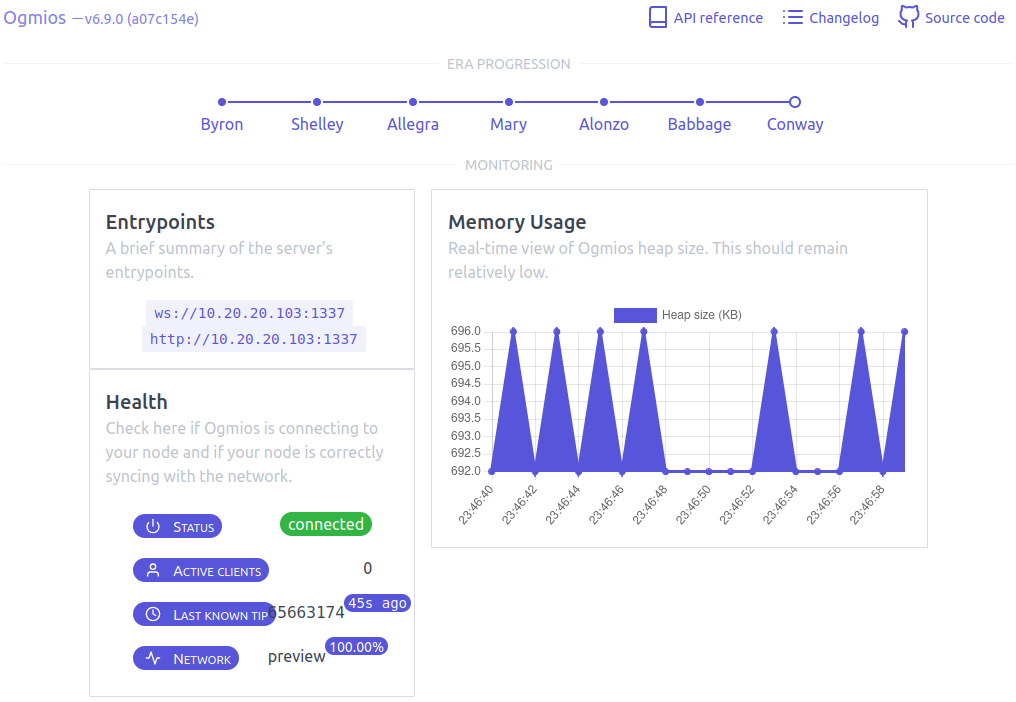
Go ahead and kill the running process in your terminal with ctrl + c
Next, let's automate the script with systemd.
Make the Service
Create the sample service file.
nano /home/n(x)/preview/scripts/ogmios.service
Add the following basic systemd configuration to the file you just opened with nano.
[Unit]
Description       = Ogmios
Wants             = network-online.target
After             = network-online.target

[Service]
User              = n(x)
Type              = simple
WorkingDirectory  = /home/n(x)/preview/scripts/
ExecStart         = /bin/bash -c '/home/n(x)/preview/scripts/ogmios_start.sh'
KillSignal        = SIGINT
RestartKillSignal = SIGINT
LimitNOFILE       = 24000
Restart           = always
RestartSec        = 7
SyslogIdentifier  = ogmios

[Install]
WantedBy          = multi-user.target
Copy the service file to the system directory.
sudo cp /home/n(x)/preview/scripts/ogmios.service /etc/systemd/system/
Give the service the correct permissions.
sudo chmod 0644 /etc/systemd/system/ogmios.service
Reload daemons.
sudo systemctl daemon-reload
Start the ogmios service.
sudo systemctl start ogmios.service
Check the service.
sudo systemctl status ogmios.service
If it shows active, we can enable the service.
sudo systemctl enable ogmios.service
Go open your ogmios dashoboard again in your browser and proudly observe the fruits of your labor.